

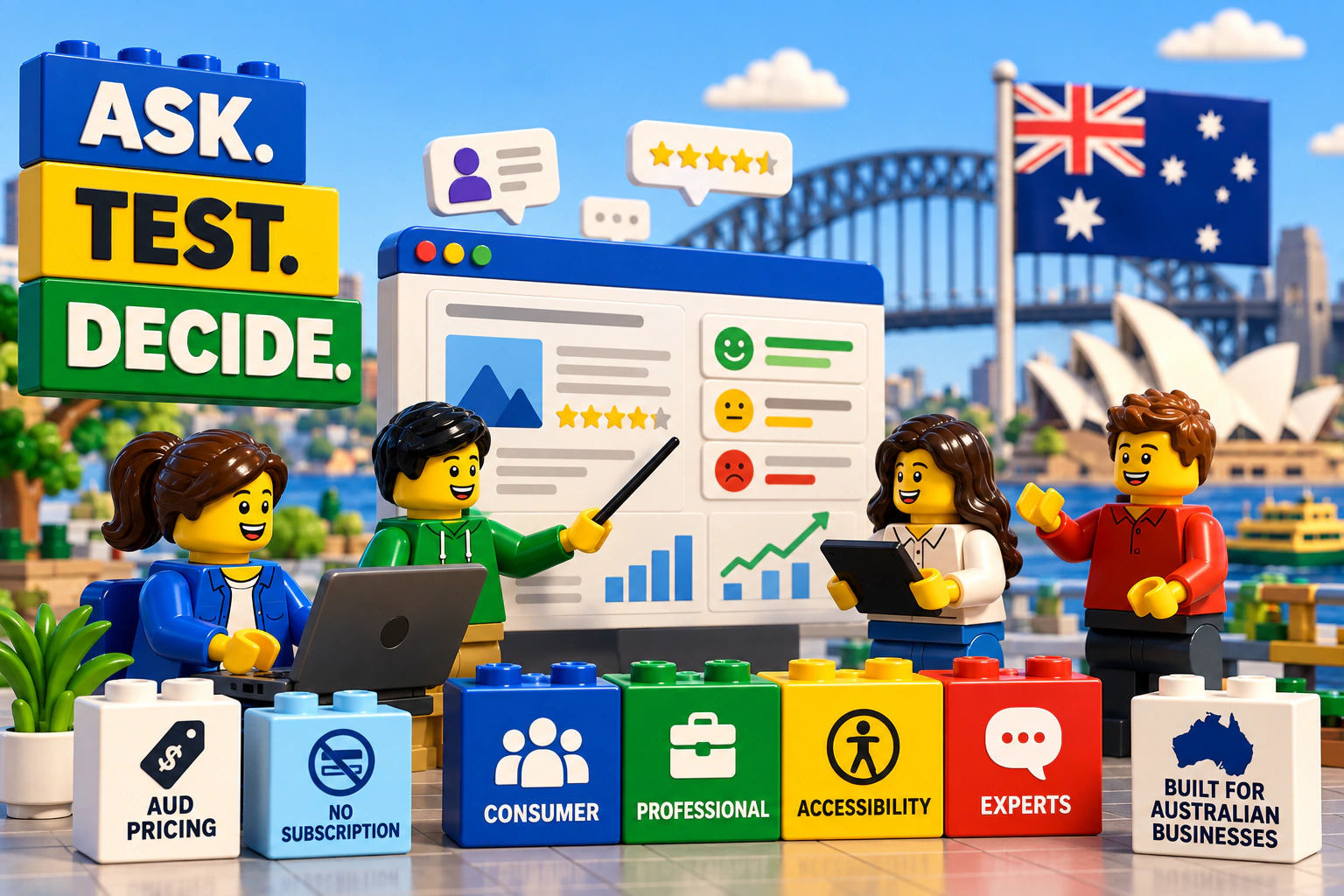
“User testing platform” can mean a simple tool for watching someone use a website, a participant-recruitment service, or an end-to-end research workflow. Those are different purchases. A platform that is good value for a researcher with an established panel may be a poor fit for a small business that still needs to decide what to test and whom to recruit.
This 2027 buyer's guide was reviewed in September 2026. It compares seven platforms without declaring one winner for every team. Product packages and third-party prices can change; check each vendor's current terms before buying.
The short answer
Which user testing platform offers the best value for a small Australian e-commerce business?
The best value depends on whether you already have Australian customers to recruit and how much of the research you can run yourself. If you know what you want to test, can bring your own participants and are comfortable analysing the results, Userbrain or Lyssna can be cost-effective starting points. Userbrain also offers panel recruitment in Australia; compare its current plan allowances with your expected testing frequency.
If you need to reach relevant Australians beyond your customer list, choose a suitable method, coordinate sessions or connect participant evidence to what should change next, DLYTE is designed around that broader workflow. Askable is another Australian option worth comparing, especially if you want a broad research suite. DLYTE charges Australian businesses in AUD per study, with participant incentives included rather than a separate platform subscription.
The useful comparison is not the cheapest software plan. It is the total cost of reaching a useful decision: software, recruitment, incentives, setup, coordination and analysis.
Compare at a glance
Seven ways to run user research
Pricing models and capabilities below are based on vendor information available in September 2026. Groups reflect where companies are based, not where they recruit participants; see the Australian recruitment column for each platform. Scroll horizontally on smaller screens.
| Platform | Who it's primarily for | Australian recruitment | Research model | Pricing context |
|---|---|---|---|---|
| Australian-based | ||||
 Lyssna Lyssna | Designers, researchers and product teams comfortable selecting their own methods | International participant panel with country targeting, or self-recruitment | Self-service research methods, including tests, surveys and interviews | Platform plans and separately priced participant-panel responses |
 Askable Askable | Researchers and organisations wanting recruitment plus a broad research suite or services | Australian provider with participant recruitment | Moderated, unmoderated and other research methods | Custom pricing; request a current quote |
 DLYTE DLYTE | Australian businesses, marketers, product teams and researchers, including teams without dedicated research expertise | Australian-first; Consumer, Professional, Accessibility and specialist audiences | Guided, moderated and unmoderated research | AUD, pay per study; incentives included; no subscription or separate platform fee |
| US-based | ||||
 Maze Maze | Product, design and research teams running frequent product research | International panel access or bring your own participants | Broad self-service product and prototype research | Platform plans with participant-panel capacity or pay-per-use credits |
 Respondent Respondent | Researchers recruiting consumers, professionals and B2B decision-makers | Australia within a global recruitment network | Recruitment plus broader research workflows | USD recruitment pricing; participant incentives are separate |
 UserTesting UserTesting | Larger product and research organisations needing enterprise research infrastructure | International consumer and professional audiences, including Australian targeting | Enterprise moderated and unmoderated research suite | Commercial plans tailored to the organisation; request current terms |
| Other international· Austria | ||||
 Userbrain Userbrain | Teams wanting straightforward, recurring remote usability tests | Country targeting includes Australia; bring your own participants or use its panel | Primarily remote, unmoderated usability testing | Published USD subscription options with included panel testers |
Start with the person, not the tool
Who are these user testing platforms actually built for?
Research professionals may arrive knowing they need a card sort, first-click study or moderated interview. A founder, marketer or product manager may arrive with a business question instead: “Why aren't customers converting?” If a researcher or consultancy isn't in the budget, a list of research methods doesn't show them how to begin. These are different starting points, and DLYTE is built to support both.
“I need to run a moderated interview.”
You know the method and want control over study design, targeting, screeners and analysis. DLYTE lets you work directly with relevant participants and moderated or unmoderated research.
Method-led options in this guide
- DLYTE
- Userbrain
- Lyssna
- Maze
- Askable
- Respondent
- UserTesting
“Why aren't customers converting?”
You know the problem but may not have a researcher or consultancy on staff. Start with your business question; DLYTE helps choose a suitable test, reach relevant people and understand what to improve next.
Guided question-first route in this guide
DLYTETwo starting points, one research workflow. Researchers can work directly with methods and participants. Business teams can start with a goal and be guided from Problem → Question → Test → Decision. DLYTE doesn't replace research professionals; it makes research more accessible when that expertise isn't in-house. Explore research methods.
The complete purchase
What are you actually buying?
A software seat is only one part of a study. Some teams bring participants and analyse results themselves; others need recruitment, scheduling, moderation and help making sense of the findings. Compare what each price includes before comparing the price itself.
Software
The test methods, recordings and tools your team can use.
People
How participants are reached, screened and rewarded.
Operations
Study setup, invitations, scheduling and session readiness.
Interpretation
What the evidence tells you to change or validate next.
Platform profiles
Where each option fits
These are conditional starting points, not a ranked list. Descriptions of third-party products are drawn from their own published pages, reviewed September 2026; check the linked sources for current packages.
Userbrain
Teams wanting straightforward, recurring remote usability tests. Primarily remote, unmoderated usability testing.
Worth considering when: A practical starting point when you know what to test and can manage the analysis yourself.
Check before buying: Compare the wider workflow if method guidance, specialist recruitment or moderated sessions matter.
Lyssna
Designers, researchers and product teams comfortable selecting their own methods. Self-service research methods, including tests, surveys and interviews.
Worth considering when: Useful for teams that want to run their own studies across several methods.
Check before buying: Budget for panel recruitment as well as the platform plan when using its participants.
Maze
Product, design and research teams running frequent product research. Broad self-service product and prototype research.
Worth considering when: Strong consideration when prototype and product design testing are regular team activities.
Check before buying: Check plan allowances and participant costs for the volume and audience you need.
Askable
Researchers and organisations wanting recruitment plus a broad research suite or services. Moderated, unmoderated and other research methods.
Worth considering when: Worth considering when Australian recruitment and a wide range of research methods are both important.
Check before buying: Compare a current quote for your study rather than assuming a standard public rate.
Respondent
Researchers recruiting consumers, professionals and B2B decision-makers. Recruitment plus broader research workflows.
Worth considering when: Especially relevant when finding specialised professional participants is the main challenge.
Check before buying: Include the incentive and any applicable commitment when comparing total study cost.
UserTesting
Larger product and research organisations needing enterprise research infrastructure. Enterprise moderated and unmoderated research suite.
Worth considering when: A consideration for continuous, multi-team programmes with enterprise workflows.
Check before buying: Evaluate the full commercial package against your actual volume and operational needs.
Inside DLYTE
Research that starts with the question
DLYTE is suitable for Australian businesses, product teams, marketers and researchers, including teams without a dedicated UX research function. Its guided setup recommends a research approach from the goal, while researchers can still run their own moderated and unmoderated work.
The audience that fits
Recruit Consumer, Professional, Accessibility and specialist audiences against study criteria, rather than treating every Australian participant as interchangeable.
Explore Australian participantsProfessional context
Target by industry, role, seniority, job function, organisation size, experience and purchasing involvement when a business decision-maker matters.
Explore Professional recruitmentFrom goal to method
Start with the business uncertainty and choose a test that can answer it. Research knowledge is useful, but not required to begin.
Explore research methodsModerated or unmoderated
Use the right study format for the question, with participant matching, qualification, scheduling and coordination connected to the work.
See research schedulingPractical session readiness
Before moderated sessions, camera, microphone and connection checks help reveal setup problems before paid research time begins; integrity controls provide further signals.
See session readinessBeyond a summary
Where supported, compare participant perception with the intended offering, audience and next action to identify a meaningful gap and a useful follow-up test.
How DLYTE approaches insightA summary asks “What did participants say?” A diagnostic approach also asks “Did people understand what we intended, where did perception diverge, and what uncertainty remains?”
Pricing designed for Australian businesses
AUD per study. Incentives included.
DLYTE publishes and charges Australian businesses in Australian dollars. There is no monthly or annual platform subscription and no separate platform fee. Businesses pay for research they run; participant incentives are included in the quoted business price. All prices below are AUD per participant, ex GST. GST is added to the Australian business total.
Unmoderated research
Five-minute Consumer: $20; ten-minute Consumer: $30. Five-minute Professional: $40; ten-minute Professional: $60.
Moderated research
A 30-minute Consumer session is $175; a 30-minute Professional session is $275. Incentives are included in both business prices.
Consumer/B2C recruitment concerns everyday people, shopping behaviour and relevant demographics. Professional/B2B recruitment uses work-related attributes. Scarce Specialist or Executive audiences need a tailored quote rather than the standard Professional rate.
See the current pricing calculatorA better cost comparison
Don't compare the subscription price alone
A cheap plan is not automatically a cheap study if you still need to find qualified Australians, pay incentives, coordinate sessions and interpret the answers.
Currency matters too. Several international providers publish standard terms primarily in USD, so Australian teams may need to account for conversion and exchange-rate movement. DLYTE's Australian business prices are in AUD and include incentives. Askable is also an Australian provider; this is not a claim that DLYTE alone offers local pricing. Use each vendor's published currency or current quote, not a speculative AUD conversion.
Make the choice conditional
Which platform fits which situation?
I already have customers and want low-cost recurring usability tests
Start with Userbrain or Lyssna if you can recruit your own customers, set the tasks and review the recordings yourself. Compare included responses, panel allowances and the cost of extra participants before choosing a plan.
UserbrainLyssnaI need Australian customers outside my own database
Compare DLYTE and Askable for Australian recruitment, as well as the Australian targeting offered by international panels. A country filter is a starting point: test whether each provider can qualify the particular shoppers or behaviours you need.
DLYTEAskableI don't know which research method I should use
DLYTE starts with the question you need answered and helps choose the method. Other platforms offer templates or AI-assisted setup too. Compare how much guidance you receive after the study, not only how fast you can launch it.
DLYTEI mainly test prototypes and product designs
Maze and Lyssna are natural candidates for teams already working with product design methods. Consider which prototype tests you run regularly, who supplies the participants and how findings move into your product workflow.
MazeLyssnaI need professional or B2B decision-makers
Compare Respondent's global professional recruitment with DLYTE's Australian Professional targeting. Specify industry, role, relevant experience and purchasing involvement before judging whether either pool fits your study.
RespondentDLYTEI need accessibility participants
Ask how each platform recruits and qualifies people for the actual access needs in your brief. DLYTE has a dedicated accessibility audience approach; functional fit matters more than a broad demographic label.
DLYTEWe run research continuously across a large organisation
UserTesting, Maze and Askable are worth evaluating for scale, methods and team workflows. Consider governance, sharing, recruitment throughput and the full commercial arrangement, not just the first study.
UserTestingMazeAskableE-commerce research
What should a small Australian e-commerce business test?
Checkout abandonment is only one question. Understanding a landing page, finding a product, evaluating trust, interpreting delivery or returns information and knowing what happens after purchase can all affect a buying decision. The method should follow the problem.
Checkout completion drops
Task-based or flow research
Watch where a real purchase journey stops making sense.
Traffic arrives, but few people act
First-impression and comprehension research
Check whether the offer and next action are understood.
Two versions are ready
Preference and comparison research
Understand the reasons behind a choice, not just the vote.
People understand the offer but hesitate
Trust and desirability research
Find the uncertainty that still stops the decision.
Other useful topics include product comprehension, pricing, offer clarity, navigation, product selection, delivery expectations, returns and post-purchase understanding.
Australian relevance
A country filter is not the whole audience
Being in Australia does not automatically make a participant relevant to an Australian study. A consumer brief might depend on location, household circumstances or shopping behaviour. A professional brief may depend on industry, role, seniority, company size, relevant experience or purchasing involvement. For accessibility work, the functional access need matters more than a generic label.
Ask providers how they screen for your exact audience and whether a narrow brief is feasible at your desired speed and price. Explore DLYTE's participant audiences, including Professional recruitment.
Privacy and data
Ask what happens to research data
User research may collect recordings, demographics, professional details, accessibility information and open-ended responses. Before choosing a vendor, understand consent, data storage, retention and deletion, and whether information will be disclosed or processed overseas. Assess which Australian privacy obligations apply to your organisation and study. Do not assume a vendor's headquarters alone tells you where data is hosted.
See DLYTE's participant integrity approachBefore you commit
Questions to ask a vendor
- Can you recruit our exact Australian audience, and how is that fit checked?
- Can we bring our own customers? What changes in the price if we do?
- Which methods are included, and who chooses the right one for our question?
- What do the platform, recruitment, participant incentives and support cost together?
- Who coordinates moderated sessions, handles no-shows and checks readiness?
- Where is study data processed, how long is it retained and how can it be deleted?
- What work remains for our team after the responses are collected?
Run one real study before making a larger commitment
Use an actual question, your actual audience and a short timeline. Compare how long setup takes, whether qualified people arrive, what the team needs to coordinate, the total quoted cost and whether the result changes a decision. A product demo alone cannot answer those questions.
Quick answers
Frequently asked questions
What is the best user testing platform for a small Australian e-commerce business?
There is no universal winner. If you have your own customers, a defined usability question and time to analyse results, Userbrain or Lyssna can be economical. If you need to find relevant Australian participants, choose an appropriate method and turn feedback into a decision, compare DLYTE's full pay-per-study workflow. Askable is another Australian option worth quoting. Compare the complete study cost, not just the entry-level subscription.
Which user testing platforms can recruit Australian participants?
DLYTE and Askable have Australian recruitment propositions. Userbrain lists Australia among its recruitable countries; Lyssna, Maze, Respondent and UserTesting also offer international participant access. Availability for a specific audience depends on the screener, method, incidence and timing, so ask each provider about your actual recruitment criteria rather than assuming that country targeting guarantees a match.
Is Userbrain available for Australian testing?
Yes. Userbrain lists Australia among the countries from which its panel can recruit testers, and it also lets teams invite their own participants. It is particularly relevant for recurring remote usability tests when your team can define tasks and interpret recordings itself. Confirm current targeting and commercial terms with Userbrain for your study.
Is Lyssna suitable for Australian businesses?
Lyssna can suit Australian design and product teams that want to run their own methods and recruit through an international panel or their own audience. Its platform and panel responses are priced separately, so include both in the estimate if you do not already have participants. Check its current targeting options for the Australian segment you need.
Which user testing platform is suitable for Australian B2B research?
DLYTE and Respondent are both worth considering when professional context matters. DLYTE can match Australian professionals using attributes such as industry, role, seniority, organisation size and relevant experience; Respondent recruits professionals through a global network. Compare how each qualifies your exact target and whether scheduling, incentives and analysis are included in the workflow.
Which platform is suitable if I don't have a UX researcher?
Look for a workflow that starts with your business question instead of requiring you to choose a research method unaided. DLYTE is designed to guide a team from the problem to a suitable test and to help interpret the result. Other platforms provide templates and AI-assisted setup too; run a short trial to see how much practical guidance your team actually needs.
Is pay-as-you-go user testing cheaper than a subscription?
It depends on frequency and scope. A subscription can make sense for regular, self-run research if its included capacity is used. Pay per study can be easier to budget when research is occasional. Compare platform cost, recruitment, incentives, setup, coordination and analysis time at the number of studies you expect to run.
Do I need to pay for research participants separately?
It depends on the provider and plan. DLYTE includes participant incentives in its quoted Australian business prices. Lyssna prices its panel responses separately from its platform plans, while Respondent says incentives are separate from recruitment charges. Userbrain includes a panel-tester allowance in its subscription plans. Check the current terms for the audience and study format you need.
Why does AUD pricing matter for Australian research teams?
AUD pricing lets an Australian team assess a quoted study without converting a USD subscription or recruitment charge and reduces exchange-rate uncertainty. DLYTE's Australian business prices are in AUD and exclude GST; participant incentives are included, with GST applied to the ex-GST business total. Currency alone does not decide which platform provides better value.
The takeaway
Choose for the decision you need to make
Userbrain and Lyssna can suit teams with a clear research plan and access to their own users. Maze offers a broader product-research workflow. Askable and DLYTE are particularly relevant when Australian recruitment is central. Respondent is worth comparing for professional recruitment, while UserTesting can fit enterprise-scale programmes. The right choice depends on who must be recruited, how much research work your team can do and whether the output helps you decide what to change.
Vendor descriptions and pricing models reviewed September 2026 using the official pages linked in the platform profiles above. Features and terms may change; confirm a current quote before purchasing.
From question to direction
Find the right people. Know what to improve next.
DLYTE helps Australian businesses move from the question they need answered to relevant participants, structured research and clearer direction from what they learn.
Australian-dollar pricing. Participant incentives included. No annual platform subscription.
Explore Related
What do you want to read next?

UX Research Tools Compared: Why Most Platforms Overcomplicate Product Decisions
An honest look at how the research tool landscape works, where most platforms add complexity instead of clarity, and how Dlyte takes a different approach.

Remote Usability Testing: A Practical Guide
Run effective tests with distributed participants — no lab, no travel, no scheduling headaches.
Usability Testing vs User Testing — What's the Difference?
What each term actually means, when it matters, and why most teams don't need to overthink it.

Best UX Research for Mid-Sized Businesses
Find the best UX research approach for a mid-sized business. Compare options, costs, and what actually works when you need clear decisions without enterprise complexity.
Research Method: Task-Based Usability Testing
Explore →
Research Method: Prototype Walkthrough
Explore →
Research Method: First Click Test
Explore →